A math solver that stays in your browser

One Click Access
Open the MathGPT Chrome Extension instantly from your toolbar whenever you need help. No extra pages, no searching, just solve and keep going.


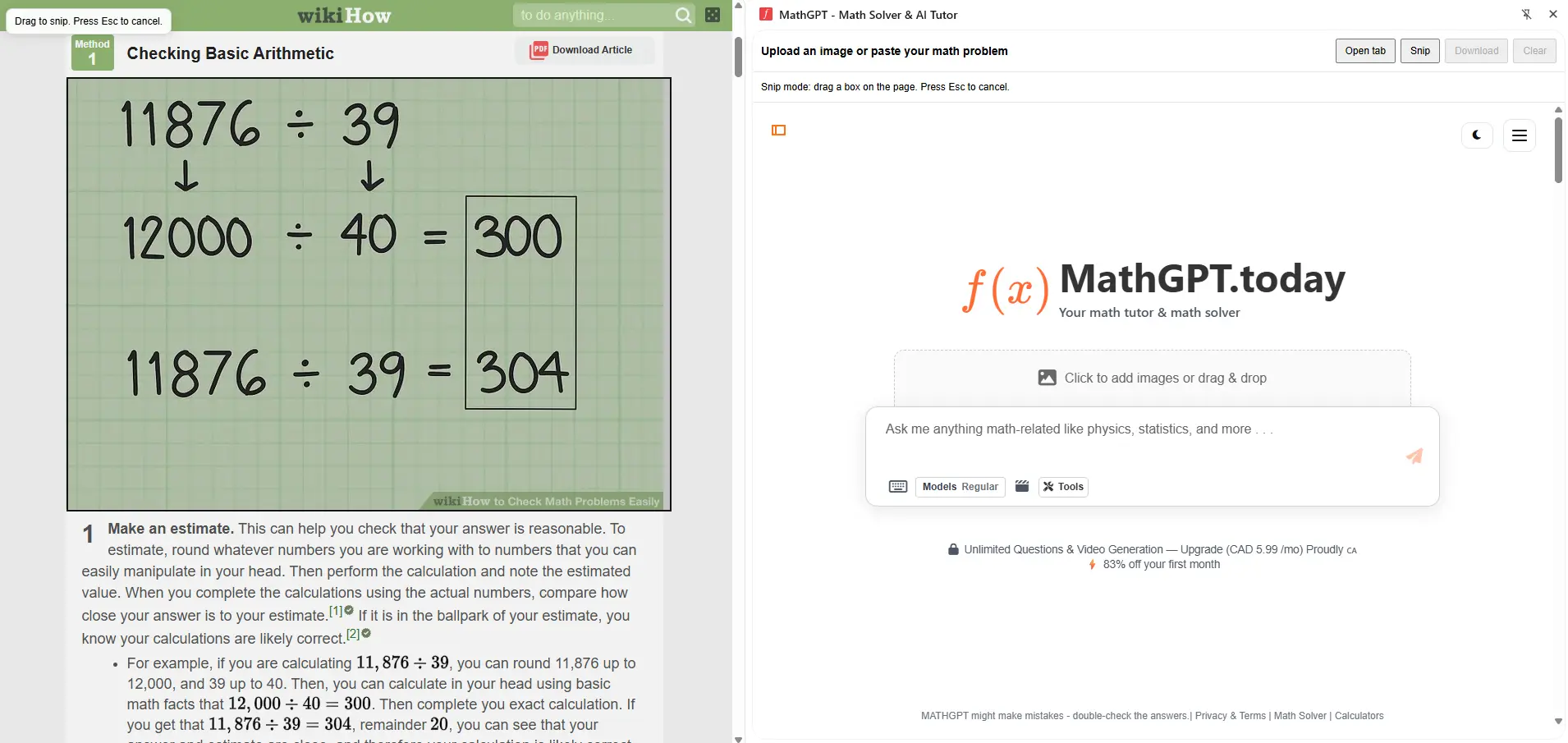
Screenshot and image support
Take a snip, paste an image, or upload a problem so the math solver can read it and solve it.

Works across common math topics
Algebra, geometry, trigonometry, calculus, statistics, and word problems.


Math solver in the same tab
Stay focused while you study. With the MathGPT Chrome Extension, you can copy a problem from your notes or any webpage, paste it into the math solver, and get a step by step answer instantly without switching tabs or breaking your flow.
Students Feedback
-
This app helped me solve questions on my assignment that I was really struggling with.
-
I love the answers and they help me with my homework
-
It has helped me a lot with my math skills
-
Gave me correct answers each time, thank you!

How it works
Install the extension from the Chrome Web Store. Look for (MathGPT - Math Solver & AI Tutor)

Click the MathGPT icon in Chrome to get started
Take a snip, type a question, or paste a problem.
Read the step by step answer and ask follow up questions
Important Links and Popular Calculators
Frequently asked questions.

What is the MathGPT Chrome Extension?
It is a Chrome add on that lets you use MathGPT as a math solver directly in your browser, so you can ask questions and get step by step help without leaving the page.
Does it show step by step solutions or only final answers?
It shows step by step solutions and explanations, so you can learn the method and check your work.
Can I solve math from an image or screenshot?
Yes. You can take a snip or upload an image, and the math solver will solve the problem and explain the steps.
What types of math does it support?
Common topics include algebra, geometry, trigonometry, calculus, statistics, and many word problems.
Do I need to open a new tab to use it?
No. You can open the extension and use the math solver while staying on the same page.
Is MathGPT free to use?
MathGPT offers a free option with limits, plus upgrade options for higher usage. You can view the current plan details on the settings.
Does it work for students and teachers?
Yes. Students use it for learning and practice, and teachers can use it for example generation, explanations, and quick checks.
Can I ask follow up questions like “show another method”?
Yes. You can request alternate approaches, extra explanation, or a similar practice question.
Does the extension work on every website?
It works as an overlay tool you open in Chrome, so you can use it alongside most websites.
Where do I install it?
From the Chrome Web Store listing. Click the link below to install it now and start solving math problems instantly while you browse: Click here to install the MathGPT Chrome Extension.
MathGPT in 200+ Countries